
Table of Contents
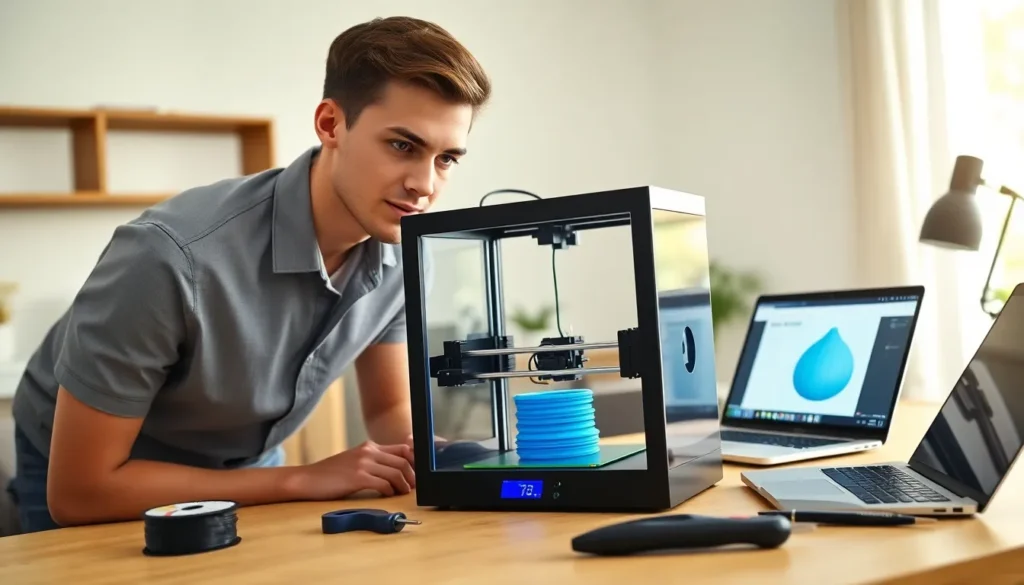
Toggle3D printing for beginners can feel overwhelming at first. The technology has become more affordable and accessible than ever, but knowing where to start matters. This guide breaks down everything new users need to know, from how the process works to creating that first successful print. Whether someone wants to make custom parts, create prototypes, or explore a new hobby, 3D printing opens up real possibilities. The learning curve exists, but it’s shorter than most people expect.
Key Takeaways
- 3D printing for beginners is more accessible than ever, with quality entry-level printers available between $200–$400.
- FDM printers using PLA filament offer the easiest starting point for new users due to lower temperatures and minimal warping.
- Proper bed leveling is the most critical step—poor first-layer adhesion causes the majority of failed prints.
- Free slicing software like Cura or PrusaSlicer converts 3D models into printable files, and default settings work well for beginners.
- Start with simple models from sites like Thingiverse, print slowly (around 50mm/s), and monitor the first layers closely for best results.
- Join online communities early—forums and Reddit groups provide invaluable troubleshooting help and printer-specific advice.
How 3D Printing Works
3D printing builds objects layer by layer from digital files. The process starts with a 3D model, either downloaded or created using design software. A program called a slicer then converts that model into instructions the printer can follow.
Most consumer 3D printers use a method called Fused Deposition Modeling (FDM). The printer heats plastic filament until it melts, then deposits it through a nozzle onto a build plate. Each layer fuses to the one below it. Over hours, a complete object takes shape.
Other 3D printing methods exist. Resin printers use UV light to cure liquid resin into solid forms. They produce finer details but require more post-processing. For 3D printing for beginners, FDM printers offer the easiest entry point.
The key components include:
- Extruder: Feeds and melts the filament
- Hot end: The heated nozzle that deposits material
- Build plate: The surface where objects form
- Frame and motors: Move the print head with precision
Understanding these basics helps beginners troubleshoot problems later.
Choosing Your First 3D Printer
Selecting a first 3D printer requires balancing budget, features, and ease of use. Prices range from under $200 to several thousand dollars. For beginners, spending between $200 and $400 provides solid quality without excessive complexity.
Popular entry-level options include the Creality Ender 3 series, Anycubic Kobra, and Prusa Mini. These models offer good print quality, active community support, and plenty of replacement parts.
Key factors to consider:
Build volume determines how large objects can be. A 220x220x250mm build area handles most beginner projects. Bigger isn’t always better, larger printers cost more and take longer to heat up.
Assembly level varies between printers. Some arrive fully assembled. Others require partial or complete assembly. Building a printer teaches valuable skills, but pre-assembled units get beginners printing faster.
Auto-leveling features save time and frustration. Manual bed leveling works fine but demands patience. Automatic systems make 3D printing for beginners much smoother.
Community support matters more than specs on paper. Popular printers have forums, YouTube tutorials, and upgrade guides. When problems arise, and they will, that community becomes invaluable.
Research reviews, watch setup videos, and check spare part availability before buying.
Essential Materials and Tools
Beyond the printer itself, beginners need several materials and tools to succeed with 3D printing.
Filament
PLA (Polylactic Acid) works best for 3D printing for beginners. It prints at lower temperatures, doesn’t warp easily, and produces minimal odor. A 1kg spool costs around $20-25 and lasts through many projects.
PETG offers more durability than PLA with slightly higher printing difficulty. ABS provides strength but requires ventilation and an enclosed printer. Start with PLA, then experiment later.
Tools
Certain tools make the process easier:
- Scraper or spatula: Removes prints from the build plate
- Flush cutters: Trims support material cleanly
- Needle-nose pliers: Helps remove supports from tight spots
- Digital calipers: Measures parts accurately
- Isopropyl alcohol: Cleans the build surface
- Painter’s tape or glue stick: Improves bed adhesion when needed
Software
Beginners need slicing software. Cura, PrusaSlicer, and OrcaSlicer are free and widely used. These programs convert 3D models into printable files and let users adjust settings like layer height, print speed, and support structures.
For creating original designs, Tinkercad offers a free, browser-based option perfect for learning. Fusion 360 provides more power for those ready to advance.
Creating Your First Print
That first successful print feels genuinely rewarding. Following a clear process improves the odds significantly.
Step 1: Level the bed
Proper bed leveling ensures the first layer sticks correctly. The nozzle should sit close enough to grip the surface but not so close it scrapes. Many beginners skip this step and wonder why prints fail.
Step 2: Choose a simple model
Start with something basic. A calibration cube or small figurine works well. Sites like Thingiverse and Printables offer thousands of free models. Avoid complex designs until comfortable with the printer.
Step 3: Slice the model
Import the STL file into slicing software. For 3D printing for beginners, default settings usually work. Set layer height to 0.2mm for a balance of speed and quality. Enable supports if the model has overhangs.
Step 4: Prepare the printer
Clean the build plate with isopropyl alcohol. Load filament and preheat the printer. Check that filament extrudes smoothly before starting.
Step 5: Monitor the first layers
Watch the initial layers closely. They determine success or failure. The filament should lay down flat and even. Adjust on the fly if needed.
Step 6: Let it finish
Resist the urge to touch the print mid-process. Once complete, let the bed cool before removing the object. Patience prevents warping and damage.
Common Mistakes to Avoid
New 3D printing enthusiasts often repeat the same errors. Knowing these pitfalls saves time and filament.
Ignoring bed leveling: Poor first-layer adhesion causes most failed prints. Level the bed before every print session, at least until the process becomes second nature.
Printing too fast: Speed tempts everyone. Slower prints produce better results. Start around 50mm/s and increase only after gaining experience.
Wrong temperature settings: Each filament type needs specific temperatures. PLA prints well at 190-220°C with a bed temperature of 50-60°C. Check manufacturer recommendations.
Skipping supports: Overhangs greater than 45 degrees need support structures. Without them, prints droop or fail entirely. Better to remove extra supports than restart a failed print.
Using old or wet filament: Filament absorbs moisture from air. Wet filament causes popping sounds and poor surface quality. Store spools in sealed bags with desiccant.
Expecting perfection immediately: 3D printing for beginners involves learning. First prints rarely match expectations. Each failure teaches something. Accept the process and improve steadily.
Not joining communities: Online forums and Reddit groups offer solutions to nearly every problem. Experienced users share settings, upgrades, and troubleshooting tips freely.


