
Table of Contents
ToggleHardware for beginners doesn’t have to feel overwhelming. Every computer contains physical components that work together to run programs, store files, and display information. These parts, from the processor to the hard drive, form the backbone of any computing experience.
Understanding hardware helps people make smarter buying decisions and troubleshoot common problems. This guide breaks down the essential components, explains how they function together, and offers practical tips for selection and care. By the end, readers will have a solid foundation in computer hardware basics.
Key Takeaways
- Hardware for beginners starts with understanding two categories: internal components (CPU, RAM, storage) and external devices (keyboard, monitor, mouse).
- The CPU acts as the computer’s brain, with speed (GHz) and core count determining overall system performance.
- RAM provides temporary workspace for active programs—aim for at least 8GB for basic tasks or 16GB+ for gaming and power users.
- SSDs offer faster, quieter, and more durable storage than traditional HDDs, making them ideal for operating systems and frequently used files.
- Balanced hardware means matching component capabilities to avoid bottlenecks that slow down your system.
- Maintain your hardware by keeping vents clean, monitoring temperatures, and backing up data regularly to extend its lifespan.
What Is Computer Hardware?
Computer hardware refers to all the physical parts inside and connected to a machine. Unlike software, the programs and operating systems that tell a computer what to do, hardware consists of tangible components people can touch and see.
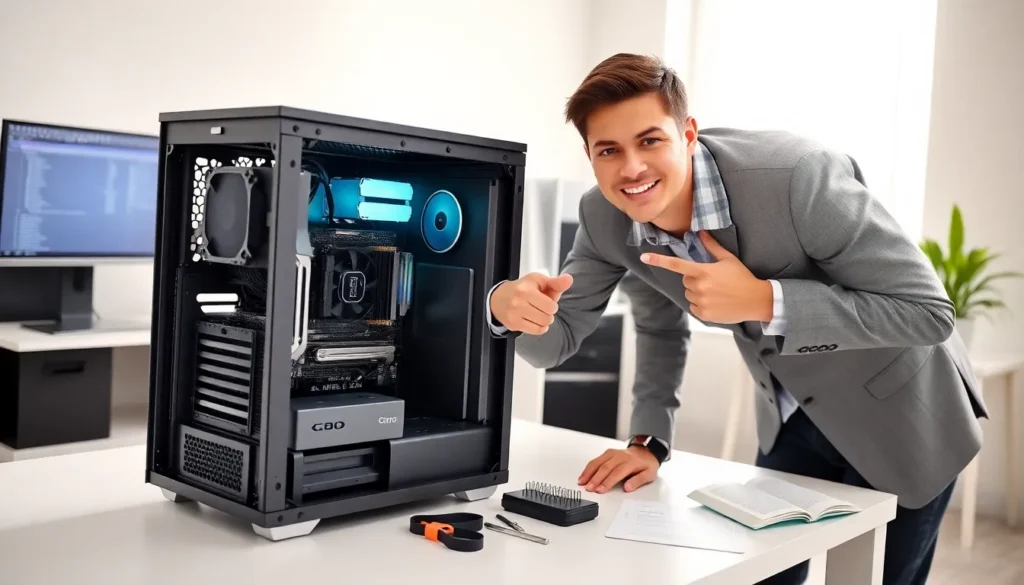
Hardware for beginners starts with recognizing two main categories: internal and external components. Internal hardware sits inside the computer case. This includes the motherboard, processor, memory chips, and storage drives. External hardware connects from outside. Keyboards, mice, monitors, and printers fall into this category.
The motherboard serves as the main circuit board. It connects all other components and allows them to communicate. Think of it as the central hub where everything plugs in. Without the motherboard, individual parts couldn’t share data or power.
Every piece of hardware plays a specific role. Some components handle processing tasks. Others store information or display output. When these parts work in harmony, users get a functioning computer system.
Essential Hardware Components Every Beginner Should Know
Learning hardware for beginners means getting familiar with the core components. These parts appear in virtually every desktop and laptop computer.
The Central Processing Unit (CPU)
The CPU acts as the brain of any computer. It processes instructions from software and performs calculations at incredible speeds. Modern CPUs contain billions of tiny transistors that handle millions of operations per second.
CPU speed is measured in gigahertz (GHz). A higher number generally means faster processing. But, speed isn’t everything. Core count matters too. A quad-core processor can handle four tasks simultaneously, while an eight-core chip manages eight.
Intel and AMD manufacture most consumer CPUs today. Both companies offer options ranging from budget-friendly models to high-performance chips for gaming and professional work. When shopping for hardware, the CPU often determines overall system performance.
Memory and Storage Devices
RAM (Random Access Memory) provides temporary workspace for active programs. When someone opens a browser or edits a document, that data loads into RAM for quick access. More RAM allows computers to run multiple applications smoothly.
Most modern systems need at least 8GB of RAM for basic tasks. Power users and gamers often benefit from 16GB or 32GB. RAM clears when the computer shuts down, so it only holds data temporarily.
Storage devices keep files permanently. Hard disk drives (HDDs) use spinning magnetic platters to store data. They offer large capacities at lower prices but run slower than newer options.
Solid-state drives (SSDs) store data on flash memory chips. They contain no moving parts, which makes them faster, quieter, and more durable. SSDs have become the preferred choice for operating system installations and frequently accessed files.
Many users combine both types. They install the operating system and key programs on an SSD for speed, then use an HDD for bulk storage of photos, videos, and documents.
How Hardware Components Work Together
Understanding hardware for beginners requires seeing how components interact. No single part operates in isolation. Each piece depends on others to complete tasks.
When a user clicks an application icon, here’s what happens: The CPU receives the instruction. It tells the storage drive to retrieve the program files. Those files load into RAM for quick access. The CPU then processes the program’s code and sends visual output to the graphics card. Finally, the graphics card renders images on the monitor.
This entire process happens in milliseconds. The motherboard facilitates all communication between parts through circuits called buses. Data travels along these pathways constantly.
The power supply unit (PSU) delivers electricity to every component. It converts AC power from wall outlets into the DC power that computer parts require. A quality PSU ensures stable operation and protects hardware from electrical damage.
Cooling systems prevent overheating. CPUs and graphics cards generate significant heat during operation. Fans and heat sinks pull hot air away from sensitive components. Some enthusiasts use liquid cooling for even better temperature management.
Bottlenecks occur when one component can’t keep pace with others. A fast CPU paired with insufficient RAM creates slowdowns. Similarly, an outdated graphics card limits gaming performance regardless of other specs. Balanced hardware for beginners means matching component capabilities appropriately.
Tips for Choosing and Maintaining Your Hardware
Selecting hardware for beginners works best with clear goals in mind. Someone browsing the web and checking email needs different specs than a video editor or gamer.
Start by identifying primary uses. Basic computing requires modest hardware, a mid-range CPU, 8GB RAM, and a 256GB SSD handle everyday tasks well. Creative professionals need more powerful processors and additional RAM. Gamers should prioritize graphics cards and faster storage.
Research before buying. Read reviews from trusted tech sites. Compare benchmarks that show real-world performance. Prices fluctuate often, so checking multiple retailers saves money.
Compatibility matters. Not every CPU fits every motherboard. RAM comes in different generations (DDR4, DDR5) that aren’t interchangeable. Double-check that all components work together before purchasing.
Maintaining hardware extends its lifespan. Keep computers in well-ventilated areas away from heat sources. Dust accumulates inside cases and clogs cooling systems. Clean vents and fans every few months using compressed air.
Monitor temperatures with free software tools. Consistently high readings indicate cooling problems. Replacing thermal paste on CPUs every few years improves heat transfer.
Handle components carefully during installation or upgrades. Static electricity damages sensitive electronics. Ground yourself by touching a metal surface before touching internal parts. Store spare components in anti-static bags.
Backup important data regularly. Even reliable hardware eventually fails. External drives or cloud storage protect files from unexpected drive failures.


