
Table of Contents
ToggleLaptops vs desktops, it’s a debate that’s been around for decades, and it’s still relevant today. Both options serve different needs, and the right choice depends on how someone plans to use their computer. A laptop offers flexibility and mobility, while a desktop delivers raw power and upgradeability. This guide breaks down the key differences between laptops and desktops, covering performance, portability, cost, and more. By the end, readers will have a clear understanding of which option fits their lifestyle and budget.
Key Takeaways
- Laptops vs desktops comes down to priorities: laptops offer portability and flexibility, while desktops deliver superior performance and upgradeability.
- Desktops outperform laptops at similar price points, with desktop GPUs delivering 30-40% better performance than their laptop equivalents.
- Modern laptops provide 8-15 hours of battery life, making them essential for students, remote workers, and frequent travelers.
- Desktops offer better long-term value, lasting 7-10 years with upgrades compared to laptops’ typical 4-6 year lifespan.
- For demanding tasks like gaming, video editing, or 3D rendering, desktops provide the raw power needed, while laptops handle everyday tasks equally well.
- Consider buying both a desktop for home and a laptop for travel if budget allows, giving you the best of both worlds.
Key Differences Between Laptops and Desktops
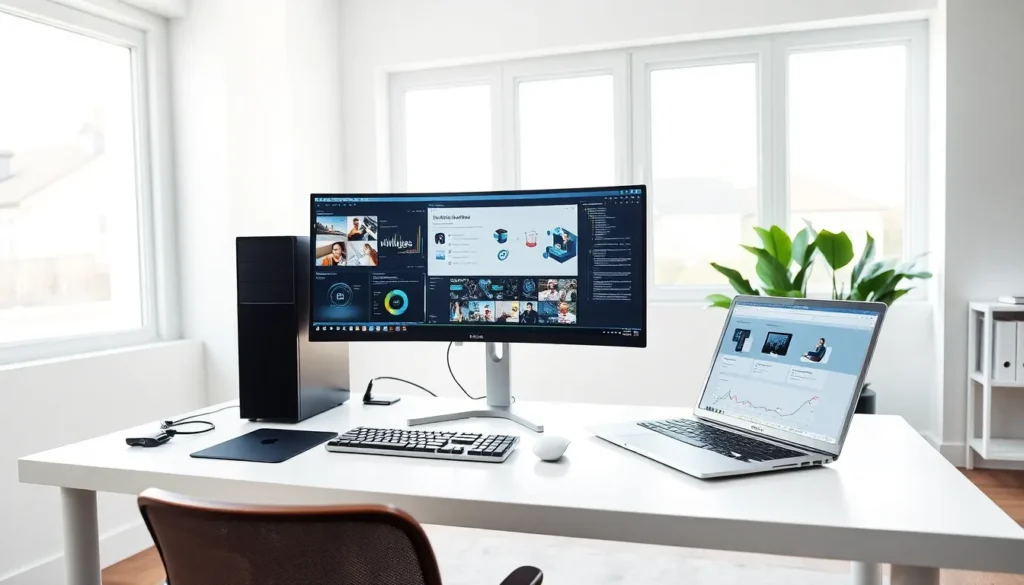
The most obvious difference between laptops and desktops is form factor. Laptops combine a screen, keyboard, and trackpad into a single portable unit. Desktops, on the other hand, consist of separate components: a tower (or small form factor case), monitor, keyboard, and mouse.
This separation gives desktops a major advantage in terms of customization. Users can swap out graphics cards, add more RAM, or install larger storage drives with relative ease. Laptops offer limited upgrade options, most allow RAM and storage upgrades, but GPU and CPU changes are rarely possible.
Another key difference involves cooling. Desktops have more room for fans and heat sinks, which allows them to run powerful components without overheating. Laptops must fit cooling solutions into a slim chassis, which can limit sustained performance during heavy workloads.
Display options also differ significantly. Desktop users can connect multiple monitors or invest in ultrawide screens for productivity or gaming. Laptop screens are fixed, typically ranging from 13 to 17 inches. External monitors can extend a laptop’s display, but that adds cost and reduces portability.
Finally, peripherals play a role. Desktops let users choose their preferred keyboard, mouse, and speakers from the start. Laptops come with built-in options, though users can always connect external devices if they want a better experience.
Performance and Processing Power
Desktops generally outperform laptops at similar price points. The reason is simple: desktop components don’t face the same thermal and power constraints.
A desktop CPU can draw more power and generate more heat because larger cooling systems handle the load. Laptop CPUs are designed for efficiency, which means they often throttle performance to prevent overheating. Intel’s desktop processors, for example, typically outperform their mobile counterparts by 15-30% in multi-threaded tasks.
Graphics performance shows an even bigger gap. Desktop GPUs have more VRAM, higher clock speeds, and better cooling than their laptop equivalents. The NVIDIA RTX 4080 desktop card, for instance, delivers roughly 30-40% better performance than the RTX 4080 laptop GPU. Gamers and content creators who need maximum GPU power should consider desktops.
That said, modern laptops have become impressively capable. High-end gaming laptops and workstations can handle video editing, 3D rendering, and AAA gaming at respectable frame rates. The Apple M3 Max chip in MacBook Pro models competes with many desktop systems in creative workflows.
For everyday tasks, web browsing, document editing, video streaming, both laptops and desktops perform equally well. The performance gap only matters for demanding applications like gaming, video production, or software development with heavy compilation workloads.
Portability and Space Considerations
Portability is where laptops win without question. A laptop weighs between 2 and 6 pounds and fits in a backpack. Users can work from coffee shops, libraries, airports, or anywhere with a power outlet, or no outlet at all, thanks to battery life.
Modern laptops offer 8-12 hours of battery life for typical use. Some ultrabooks push past 15 hours. This freedom makes laptops essential for students, remote workers, and anyone who travels frequently.
Desktops require a dedicated space. Users need a desk large enough for a tower, monitor, keyboard, and mouse. Cable management becomes a concern. Moving a desktop setup is a project, not something done casually.
But, desktops have a space advantage in one sense: they don’t clutter up small working areas during use. A laptop sits on the desk where the user works, taking up the same space as documents or notebooks. Desktop towers can sit on the floor or in a corner, leaving the desk surface clear except for the monitor and peripherals.
Small form factor desktops and all-in-one computers offer a middle ground. They’re not portable, but they take up less room than traditional tower setups. Apple’s Mac Mini, for example, measures just 7.75 inches square.
Eventually, someone who works from multiple locations needs a laptop. Someone with a permanent home office or gaming station will appreciate the comfort and ergonomics of a desktop setup.
Cost and Value Comparison
Dollar for dollar, desktops deliver more performance than laptops. A $1,000 desktop gaming rig will outperform a $1,000 gaming laptop in most benchmarks. The laptop premium pays for portability, not raw power.
Entry-level laptops start around $300-400, while basic desktops begin at similar prices. At this budget, both options handle web browsing, email, and light productivity. But, a budget desktop can include a larger monitor, which improves the user experience.
Mid-range laptops ($700-1,200) suit most users well. They offer solid performance for productivity, casual gaming, and media consumption. Equivalent desktops in this range can include better GPUs and more storage, but users must factor in monitor costs separately.
High-end comparisons favor desktops even more. A $2,500 desktop workstation or gaming PC delivers performance that would cost $3,500 or more in laptop form.
Long-term value also favors desktops. Upgrading a desktop GPU or adding RAM costs far less than buying a new laptop. A well-built desktop can stay relevant for 7-10 years with periodic upgrades. Laptops typically last 4-6 years before battery degradation and outdated specs force replacement.
Repair costs differ too. Desktop components are standardized and widely available. Laptop repairs often require manufacturer-specific parts and professional service, which increases expenses.
How to Choose the Right Option for Your Needs
Choosing between laptops and desktops comes down to priorities. Here’s a quick framework:
Choose a laptop if:
- Portability matters. Students, travelers, and remote workers need a computer they can carry.
- Space is limited. Small apartments or shared living spaces may not accommodate a full desktop setup.
- Flexibility is important. Working from different rooms or locations requires mobility.
- Moderate performance is sufficient. Most creative work, coding, and gaming run fine on modern laptops.
Choose a desktop if:
- Maximum performance is the goal. Gamers, video editors, and 3D artists benefit from desktop-grade components.
- Budget efficiency matters. Getting the most power per dollar favors desktops.
- Upgradeability is valued. Users who want to extend their system’s lifespan should consider a desktop.
- Ergonomics are a priority. A proper desk setup with a large monitor and quality peripherals reduces strain during long work sessions.
Some users choose both. A desktop serves as the primary workstation at home, while a lightweight laptop handles travel and mobile needs. This approach costs more upfront but offers the best of both worlds.
Consider future needs too. Someone currently working from home might start commuting or traveling soon. Conversely, a frequent traveler might settle into a permanent workspace. Buying for tomorrow’s situation, not just today’s, prevents regret.


